
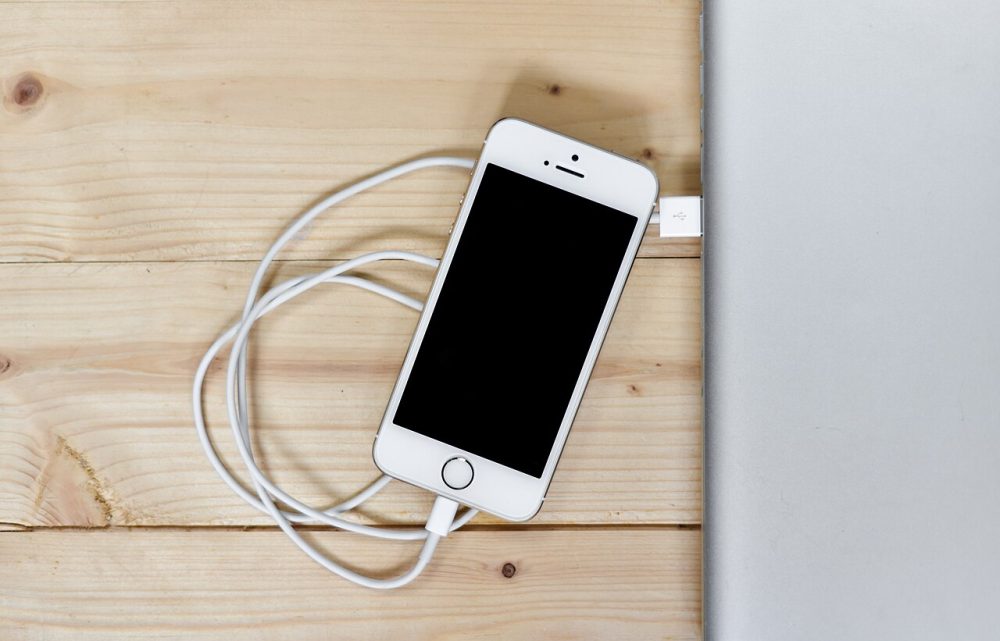
A refurbished phone can save you serious money, but the label alone tells you very little. Here is what to check before you pay, and what happens if the phone turns out to be a dud.
This guide is general information, not technical or legal advice. If you’ve lost money or personal information, contact your bank, IDCARE on 1800 595 160, or report it through ReportCyber at cyber.gov.au.
Quick summary
- Refurbished, renewed and recertified have no single fixed meaning, so the seller’s inspection process and written warranty matter more than the word on the listing.
- Ask for the IMEI before you buy, then check it is not blacklisted and that the phone works on Australian networks.
- On iPhones, Settings shows battery health and, on newer software, a parts and service history.
- Consumer guarantees under Australian Consumer Law apply when you buy from a business in Australia, including second-hand goods.
- Pay by card so you have a chargeback option, and test the phone thoroughly on the day it arrives.
A refurbished phone can cost a lot less than a new one, but the same device might be called “like new”, “good” or “acceptable” depending on who is selling it. The words on the listing matter less than the process behind them, so know what to check before you pay.
Refurbished, used or second-hand: what the words actually mean
A refurbished phone is a previously owned device that has come back to a retailer or carrier through a trade-in, a warranty exchange or a return. The seller repairs faulty parts, wipes the previous owner’s data and resells it. Listings use near-synonyms such as pre-owned, reconditioned, open-box, refreshed and recertified, partly to set this stock apart from plainly “used” phones.
There are two broad routes to market. A third-party reseller inspects and repairs seller-refurbished stock itself, while a manufacturer-certified device goes through the brand’s own testing line, often with original parts and longer warranty coverage. What you get in writing varies, so work out which you are buying before you check out.
A plain second-hand phone has usually had no professional inspection, so more of the checking falls on you.
Grades and condition reports: reading the fine print
| Grade | What it usually means |
|---|---|
| Grade A (like new) | Almost no visible wear, works fully |
| Grade B (good) | A few light marks, works like new |
| Grade C (acceptable) | Visible wear and tear, but everything works |
Grading is not consistent across the industry, and one seller’s Grade B can look like another’s Grade C, so read each seller’s definitions. Ask for photos of the actual device rather than stock images, and check what the condition report covers: screen scratches and dents on the sides and back are the usual culprits. Paying for a higher grade mostly buys better looks, not better performance.
Lower-grade, older devices may also receive software updates for a shorter time than new units. Our article on why software updates matter explains why that is worth a discount.
Locks, blacklists and network compatibility
A phone can look perfect and still be useless, so run these checks first:
- IMEI blacklist. Ask the seller for the IMEI, the unique number every phone carries, which you can display by dialling *#06#. Run it through an IMEI checker: a phone reported lost or stolen is blacklisted and cannot be used on most networks.
- Australian network compatibility. Telstra Wholesale’s free device capability checker takes the first eight digits of the IMEI. Under federal rules on emergency calls, operators must block phones that cannot reliably reach Triple Zero, and some older devices cannot use Telstra’s main 4G frequency, leaving them without coverage in some areas, including for emergency calls.
- Activation locks. An “iPhone Locked to Owner” screen means the previous owner’s account is still attached. If you see it, return the phone.
- Carrier lock. Confirm the phone really works with your carrier rather than trusting the listing’s claim.
Handy tip
Ask for the IMEI before you pay. A seller who refuses to provide it, or whose IMEI does not match the phone that arrives, is telling you something.
Battery health and replaced parts
On iPhones from the iPhone 6 onwards running iOS 11.3 or later, open Settings, tap Battery, then Battery Health (Battery Health & Charging on iOS 16.1 or later) to see the maximum capacity and any warnings about degraded health. A battery showing 100 percent charge can still have reduced capacity and drain far faster than it should.
On iOS 15.2 or later, you may also see a Parts and Service History section after the serial number. A replaced screen is not automatically a dealbreaker, but cheap copies can affect display quality and Face ID. Diagnostic apps have other blind spots: software can spoof battery readings, past water damage can cause sudden failure months later, and some network faults need specialist equipment.
Warranties and your rights under Australian Consumer Law
Reputable sellers offer returns for at least 30 days, and warranty support commonly runs from 6 to 12 months. Manufacturer-certified programs often cover a device for about a year, while many third-party retailers settle on 90 days. Hardware faults and battery problems are usually covered, but accidental damage often is not.
Separate from any seller warranty, consumer guarantees under Australian Consumer Law apply automatically when you buy goods from a business for personal or household use, including second-hand goods. They apply no matter where in Australia you or the business are. For personal purchases, the guarantee covered sales of $40,000 or less before 1 July 2021 and $100,000 or less after that date. The same protection does not apply to goods bought from overseas sellers, and private sales are a different matter.
Paying safely and testing the phone when it arrives
Pay by credit card where you can: card payments come with a dispute process your bank can run if things go wrong. Our credit cards versus debit cards guide sets out the differences, and our chargeback explainer covers how to ask your bank to reverse a payment. Avoid bank transfers, cryptocurrency and anything else that leaves no trail. If a listing feels off, our how to spot a scam guide lists the red flags.
When the phone arrives, test it that day to stay inside the return window:
- Turn it on. If it will not charge or power up, do not keep it.
- Compare the screen, sides and back with the photos and the grade you paid for.
- Insert your SIM and make a call, send a text and use mobile data.
- Check battery health, any parts and service history, the activation lock status and the IMEI.
Ask for the IMEI and the grade in writing before you pay, then test the phone the day it arrives.
Your questions answered
Q: Is a refurbished phone as good as a new one?
A: A well-refurbished phone can perform like new for a lower price, but refurbished devices may have reduced software update support and lower battery capacity compared with new units. The seller’s testing process and warranty are what separate a good buy from a gamble.
Q: Do my consumer guarantees apply to a second-hand phone?
A: Under Australian Consumer Law, consumer guarantees apply to goods bought from a business for personal or household use, and that includes second-hand goods. Buying privately through a marketplace or from an individual gives you far less protection.
Q: What is an iCloud lock and why does it matter?
A: If an iPhone still has the previous owner’s account attached, it shows an iPhone Locked to Owner screen and cannot be used. If you see that screen after buying online, return the phone.
Q: How do I check a phone has not been reported stolen?
A: Ask the seller for the IMEI number, which you can display by dialling *#06#, and run it through an IMEI checker. A blacklisted phone has been reported lost or stolen and cannot be used on most mobile networks.